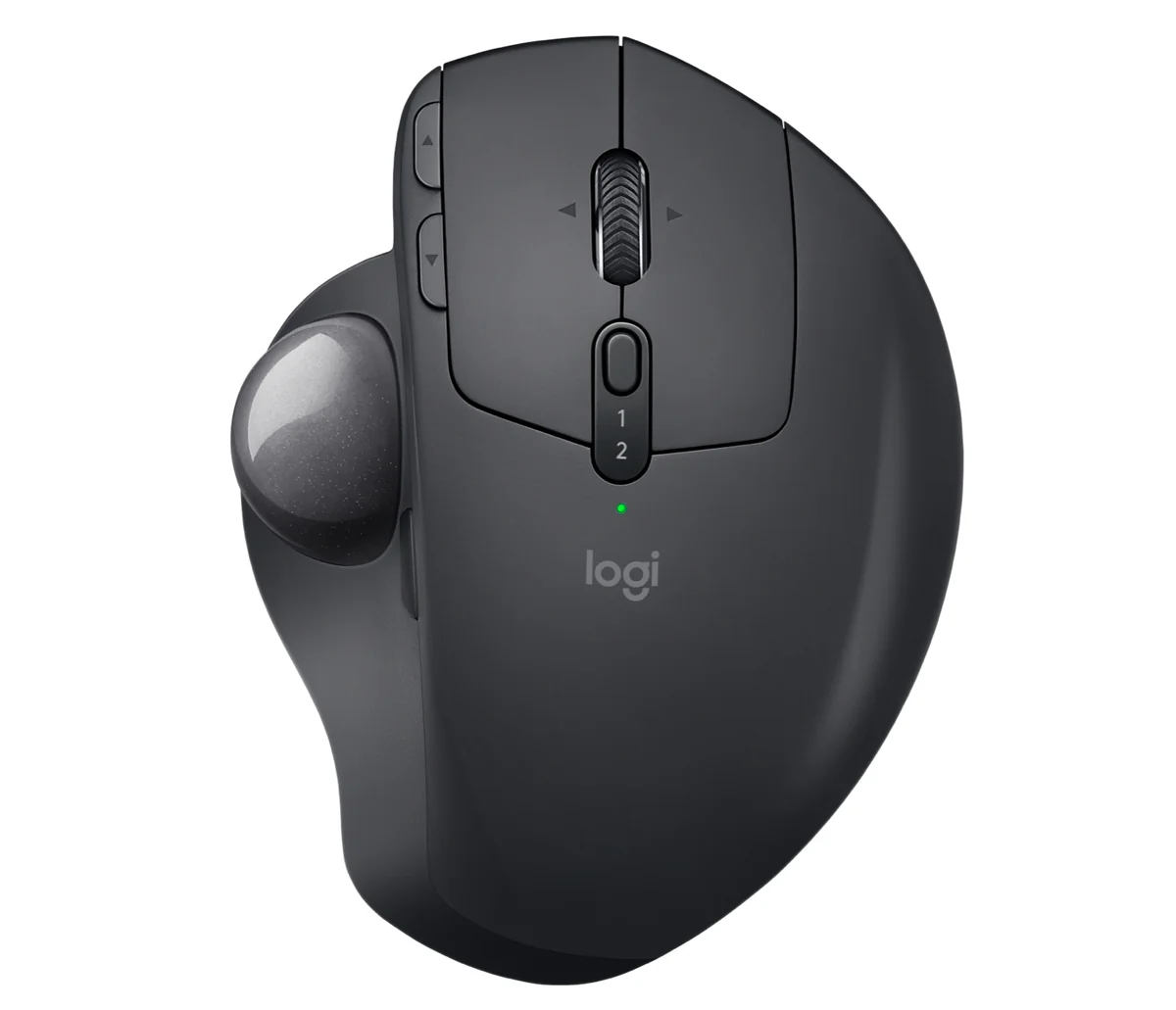
REVIEWS / MICE / LOGITECH MX ERGO TRACKBALL MOUSE UPDATED SEP 13, 2026 · 79 SOURCES

THE PRODUCT

Logitech MX Ergo Trackball Mouse

Logitech MX Ergo Trackball Mouse

Ergonomic thumb-trackball with devoted multi-year owners, undermined by stock switch wear that turns users into soldering hobbyists.

MICE MEDIUM CONFIDENCE

THE VERDICT

6.8

REALITY SCORE · OUT OF 10 · CONFIDENCE MEDIUM

COMPOSED FROM

USERS 6.8 · 76 voices · 100%
CRITICS no published scores yet

SENTIMENT · 79 REVIEWS

+ 45% positive · 30% neutral − 25% negative

BEST PRICE TODAY

BUY ON AMAZON
Affiliate · supports independent reviews
CHECK PRICE →

// Affiliate link — score is unaffected.

56 YOUTUBE 15 HN 5 LEMMY
USER n=79
VIDEO n=3
BRAND AVAILABLE
INTERNET n=0
🦉 We read 79 owner comments — see the recurring complaints & praise OWNER INSIGHTS →

AT A GLANCE · QUOTABLE

  • Rating: 6.8 / 10 (medium confidence)
  • User voices: 79 across 3 platforms
  • Sentiment: 45% positive · 25% negative
  • Updated: Sep 13, 2026

GYIBB rates the Logitech MX Ergo Trackball Mouse 6.8/10 based on 79 user voices from 3 platforms. Confidence: medium. Source: https://gyibb.com/mice/logitech-mx-ergo-trackball-mouse

⚠ LIMITED DATA Based on 23 comments and 56 videos

BUY IF

Ergonomics win long-term: 3-4 year owners call it indispensable and reorder

  • + Repairable and upgradeable: standard Omron switches, documented D2F-01F swap path
  • + Strong trackball lineage keeps users in the Logitech ecosystem
  • + MX Ergo S refresh adds USB-C and quieter clicks

SKIP IF

Stock China-made D2FC-F switches develop intermittent/dead clicks (~2 years)

  • Ball socket traps debris; periodic cleaning requires popping the ball
  • Proper fix needs soldering; spring swap or WD-40 are stopgaps
  • Repeat failures push owners toward Kensington, Elecom, Ploopy

Where the layers disagree

5 CONTRADICTIONS DETECTED

USER layer documents systematic stock-switch failure (intermittent clicks, ~2-year lifespan, solder repairs); VIDEO layer comments show 3-4-year owners happily re-ordering the same mouse — loyalty survives the known defect.

VIDEO VS USER

USER layer actively recommends defecting to Ploopy, Elecom, Kensington, ProtoArc after repeated failures; VIDEO layer mentions virtually no competitors — repair culture vs. ecosystem comfort.

VIDEO VS USER

USER and VIDEO layers align: dirt/debris in the ball socket is a physics-level, unsolvable periodic cleaning chore both groups accept.

VIDEO VS USER

VIDEO layer shows long-term owners rating the MX Ergo S refresh (USB-C, quieter clicks) as marginal; USER layer independently mods switches for feel/noise — brand iteration lags what enthusiast users actually prioritize.

BRAND VS VIDEO

USER layer places the MX Ergo inside a chronic Logitech switch-QC pattern (G604, Anywhere MX precedent); no BRAND layer data arrived to confirm or dispute any claimed switch lifespan.

BRAND VS USER

WHERE THEY AGREE +

+ Ergonomics win long-term: 3-4 year owners call it indispensable and reorder
+ Repairable and upgradeable: standard Omron switches, documented D2F-01F swap path
+ Strong trackball lineage keeps users in the Logitech ecosystem
+ MX Ergo S refresh adds USB-C and quieter clicks

WHERE THEY DON'T

Stock China-made D2FC-F switches develop intermittent/dead clicks (~2 years)
Ball socket traps debris; periodic cleaning requires popping the ball
Proper fix needs soldering; spring swap or WD-40 are stopgaps
Repeat failures push owners toward Kensington, Elecom, Ploopy
Ergo S upgrade judged marginal by long-term original-Ergo owners

Where the 79 sources came from

VIEW EVERY CITATION →
YOUTUBE
56
HN
15
LEMMY
5

The four realities of the Logitech MX Ergo Trackball Mouse

Most review sites collapse everything into one number. We keep the layers separate so you can see where reality bends.

01
USER
n=79 · 3 platforms

What actual buyers say

Based on 76 comments (top 25 shown, heavily HackerNews-weighted): the dominant USER theme is Omron switch failure. One MX Ergo owner reports intermittent click symptoms and plans the spring-swap/WD-40 fix; another replaced the stock D2FC-F (China-made) switches with Omron D2F-01F (Japan-made) units and says it 'has been working great' with better feel, though only rated 1M mechanically. A third reports 'only about 2 years of use out of each of mine' across 4 units in 6 years, then defected to Kensington (praising the scroll ring but finding ball movement 'more jumpy') and is eyeing Ploopy. The failure is framed as a Logitech-wide pattern: G604 middle buttons dying at 6-9 months on 3 of 4 units, Anywhere MX shells indenting until click-and-drag fails, and users keeping bags of spare Omron D2F switches. Counterweight: strong affection for the form factor — an architectural designer with 3+ years of use calls it 'indispensable' and is ordering another; users report bonding with trackballs since the 2013-era M570 and even the late-80s Microsoft Ballpoint. Recurring unavoidable gripe: dirt and debris trapping in the ball socket, requiring ball-pop cleaning. On the refreshed MX Ergo S, commenters note USB-C and quieter clicking as the only real changes, no data on charge speed vs. old micro-USB, and disappointment it lacked deeper updates; one user imported the MX Ergo PLUS solely for extra tilt degrees. Alternatives repeatedly named: Ploopy thumb trackball, Elecom M-XT2URBK (EX-G), Kensington Orbit/Expert/Slimblade Pro, ProtoArc.
02
VIDEO
n=56 · YouTube

What reviewers showed on camera

All 3 videos come from a single channel (Adam Talks Tech, ~46.8K subs): 'Should You buy the Logitech MX Ergo Trackball Mouse?' (92.5K views), 'Logitech MX Ergo S Bluetooth Trackball Mouse Review' (64.5K views), and 'Logitech ERGO M575 Trackball Mouse Review' (53.2K views) — the last covers a sibling product. Available excerpts are viewer comments, not measured test results. Sentiment is strongly positive: viewers describe an adaptation curve ('First I HATED it... like chopsticks, then we bonded'), loyalty dating back to Atari ST-era trackballs, and 3-4-year owners ordering replacements. Recurring gripe in comments: dirt/debris trapped in the socket requiring ball removal, called likely unsolvable. On the Ergo S, a 4-year original-Ergo owner calls USB-C and quieter clicks useful but marginal, doubts faster charging, and wanted deeper updates. M575 video comments praise user-replaceable rechargeable AA batteries; questions raised about the Logitech app showing no customization options and about horizontal-scroll support. Caveat: single-channel, comment-derived evidence — no click-latency, tracking-accuracy, or battery test data appears in the excerpts.

Should You buy the Logitech MX Ergo Trackball Mouse?

Adam Talks Tech · 92,564 views

"[comment] "You couldn't live with your own failure. Where did that bring you? Back to me" -90s and 2000s mice [comment] Best video on the internet to explain the features of MX Ergo, period. [comment] A long time ago with an ancient operati…"

Logitech MX Ergo S Bluetooth Trackball Mouse Review

Adam Talks Tech · 64,523 views

"[comment] No fluff, ums, or ahs. Great writing, great video! [comment] I've been using these trackball mice since 2013, and I love them. So glad they updated the MX Ergo! [comment] I love using the trackball. My only gripe is dirt and debri…"

Logitech ERGO M575 Trackball Mouse Review

Adam Talks Tech · 53,177 views

"[comment] Great review! I'll recommend this mouse to my coworker who refuses to use a normal mouse. [comment] Awesome review! Perfect tempo/pace of information and personal experiences - with no frills. [comment] a trackball mouse is so com…"

03
INTERNET
n=0 · review sites

What the press said

No aggregate ratings were found for this product during the last harvest.
04
BRAND
official source

What the brand says

no brand page found

The official brand page was not successfully scraped during the last harvest.
Buy on Amazon →

* This page may contain affiliate links. No additional cost to you.

SIMILAR IN THIS CATEGORY

See all →
Kensington Expert Mouse Trackball

Kensington Expert Mouse Trackball

9.5

✓ Extreme durability and lifespan (10-30+ years reported)

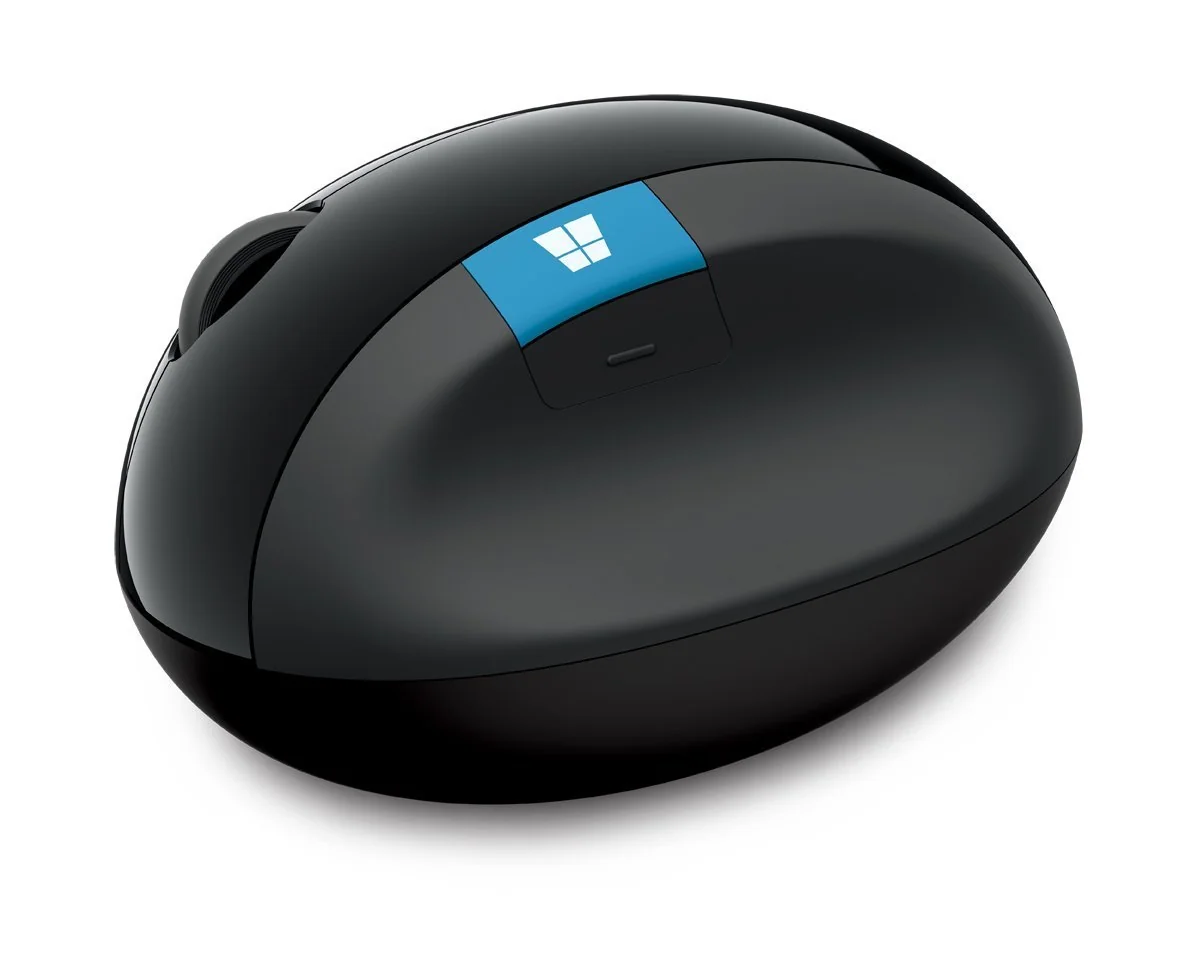
Microsoft Sculpt Ergonomic Mouse

Microsoft Sculpt Ergonomic Mouse

9.4

✓ Exceptional wrist pain and RSI relief

Ploopy Classic Trackball

Ploopy Classic Trackball

8.7

✓ Fully open-source, user-repairable design sold as kit or assembled

Logitech MX Master 3S

Logitech MX Master 3S

7.2

✓ Exceptional battery life — users correct spec to 70 days; 2015-era units still hold charge at 10 years

DATA SOURCES & AUDIT

56
YOUTUBE
15
HN
5
LEMMY
3
YOUTUBE VIDEOS

79 data points across 3 platforms, synthesized via GYIBB's Truth Engine and fact-checked against source data before publication.

CONFIDENCE: MEDIUM · ANALYSED: SEPTEMBER 13, 2026 AT 05:02 PM · PROMPT V1.0 · READ METHODOLOGY →

Was this review helpful?

Embed this review

Writing about Logitech MX Ergo Trackball Mouse? Add the GYIBB verdict — free, no account needed.

<a href="https://gyibb.com/mice/logitech-mx-ergo-trackball-mouse" target="_blank" rel="noopener">
  <img src="https://gyibb.com/badge/mice/logitech-mx-ergo-trackball-mouse.svg" alt="GYIBB rating for Logitech MX Ergo Trackball Mouse" width="220" height="56">
</a>
← Back to all reviews

Logitech MX Ergo Trackball Mouse

GYIBB SCORE: 6.8/10

Buy on Amazon →