REVIEWS / MESH WIFI / EERO PRO 6E UPDATED AUG 9, 2026 · 77 SOURCES

THE PRODUCT

Eero Pro 6E

Eero Pro 6E

Praised for plug-and-forget simplicity and coverage, but frustrates power users with forced reboots, no SNMP, limited 2.5Gbps port, and aggressive cloud…

MESH WIFI HIGH CONFIDENCE

THE VERDICT

8.2

REALITY SCORE · OUT OF 10 · CONFIDENCE HIGH

COMPOSED FROM

USERS 8.2 · 74 voices · 100%
CRITICS no published scores yet

SENTIMENT · 77 REVIEWS

+ 60% positive · 25% neutral − 15% negative

BEST PRICE TODAY

BUY ON AMAZON
Affiliate · supports independent reviews
CHECK PRICE →

// Affiliate link — score is unaffected.

16 REDDIT 21 YOUTUBE 15 HN 2 STACK EXCHANGE 20 PRODUCTHUNT
USER n=77
VIDEO n=3
BRAND AVAILABLE
INTERNET n=0
🦉 We read 77 owner comments — see the recurring complaints & praise OWNER INSIGHTS →

AT A GLANCE · QUOTABLE

  • Rating: 8.2 / 10 (high confidence)
  • User voices: 77 across 5 platforms
  • Sentiment: 60% positive · 15% negative
  • Updated: Aug 9, 2026

GYIBB rates the Eero Pro 6E 8.2/10 based on 77 user voices from 5 platforms. Confidence: high. Source: https://gyibb.com/mesh-wifi/eero-pro-6e

BUY IF

Exceptional plug-and-forget simplicity — 15-minute setup, then forgotten

  • + Strong, stable coverage in RF-dense environments (apartments, multi-story homes)
  • + Handles dozens of concurrent devices without degradation
  • + Best-in-class remote management for non-technical family members

SKIP IF

Forced automatic updates reboot the network with no notification or scheduling

  • No SNMP, no meaningful network monitoring, no traffic visibility
  • Only one 2.5Gbps port — can't break gigabit on both WAN and LAN simultaneously
  • Phones home aggressively; privacy-conscious users must actively firewall it

Where the layers disagree

6 CONTRADICTIONS DETECTED

USER vs USER: The product splits its audience sharply — non-technical users call it 'the best WiFi experience I've ever had' while power users lament the absence of SNMP, monitoring, and advanced controls, resorting to VLANs and SPAN ports for basic visibility.

USER VS BRAND

USER vs USER: eero is praised as 'so stable I don't have to manage it' and simultaneously criticized for forced automatic firmware updates that reboot the entire network without notification, warning, or scheduling — causing unexpected drops during active work sessions.

USER VS BRAND

VIDEO vs USER: A YouTube commenter on the long-term review calls the Pro 6E 'a mediocre router' that 'drops speeds a lot' on a 2-gig ISP connection and replaced it with a $600 Netgear RS700 — contradicting the overwhelming USER sentiment of stability and strong performance.

VIDEO VS USER

USER vs EXPECTATION: Despite 'Pro' and '6E' branding suggesting enthusiast-grade hardware, the Qualcomm chipset limits the device to one 2.5Gbps + one 1Gbps port — neither WAN nor LAN can fully break gigabit simultaneously, frustrating multi-gigabit users.

USER VS BRAND

USER vs USER: Traffic shaping is a point of contention — some discuss fq_codel positively in r/eero, while another user calls it 'pretty useless' compared to OpenWRT's CAKE implementation, describing the difference as 'night and day.'

USER VS BRAND

VIDEO layer weakness: All three available videos are either educational explainers, brief long-term impressions, or affiliate-linked with no benchmark content — there is no rigorous throughput, latency, or coverage testing to corroborate or challenge user claims.

BRAND VS VIDEO

WHERE THEY AGREE +

+ Exceptional plug-and-forget simplicity — 15-minute setup, then forgotten
+ Strong, stable coverage in RF-dense environments (apartments, multi-story homes)
+ Handles dozens of concurrent devices without degradation
+ Best-in-class remote management for non-technical family members
+ Robust parental controls with per-profile content and screen-time settings

WHERE THEY DON'T

Forced automatic updates reboot the network with no notification or scheduling
No SNMP, no meaningful network monitoring, no traffic visibility
Only one 2.5Gbps port — can't break gigabit on both WAN and LAN simultaneously
Phones home aggressively; privacy-conscious users must actively firewall it
Traffic shaping (fq_codel) underperforms versus OpenWRT CAKE on same connections

Where the 77 sources came from

VIEW EVERY CITATION →
REDDIT
16
YOUTUBE
21
HN
15
STACK EXCHANGE
2
PRODUCTHUNT
20

The four realities of the Eero Pro 6E

Most review sites collapse everything into one number. We keep the layers separate so you can see where reality bends.

01
USER
n=77 · 5 platforms

What actual buyers say

The dominant theme across 74 user comments is that eero excels as a 'plug it in and forget it' solution. Multiple users report seamless 15-minute setups, excellent coverage in challenging environments (crowded Brooklyn/Manhattan apartments, 2,000+ sqft split-level homes), and rock-solid stability across dozens of devices including ESP32 sensors, tablets, and laptops. Several users explicitly switched from Unifi/Ubiquiti setups and report the eero experience as superior for everyday use, with one calling it 'probably the best tech purchase I've made in years.' Parental controls via profiles get strong praise for content and screen-time management. However, power users surface significant limitations: (1) No SNMP support whatsoever, no decent network monitoring via app or unofficial API — one user resorted to VLANs and SPAN ports for traffic analysis. (2) The iOS app is described as 'flakey' for system operations. (3) Units 'phone home like crazy' and use their own DNS servers — privacy-conscious users firewall them except during updates. (4) Automatic firmware updates install and force a network reboot WITHOUT notification, warning, scheduling, or opt-out — multiple users report unexpected late-night network drops during work. (5) The Qualcomm chipset limits the device to one 2.5Gbps + one 1Gbps Ethernet port — WAN or LAN can break gigabit, but not both simultaneously. (6) Traffic shaping (fq_codel on Wi-Fi 6 models, not CAKE as some assume) is described as 'pretty useless' compared to OpenWRT's CAKE implementation on the same connections. (7) Client steering bundles band-switching and station-switching, causing constant AirPlay dropouts with original HomePods. (8) Users who want any advanced controls (per-device traffic logs, custom DNS) are steered toward NextDNS or a dedicated pfSense router in bridge mode. The consensus: unbeatable for non-technical family members and remote management, deeply limiting for network engineers and power users.
02
VIDEO
n=21 · YouTube

What reviewers showed on camera

Three YouTube videos were available. The most-viewed ('Speak to the Geek,' 89K views) is primarily an educational explainer on mesh Wi-Fi concepts with a UK-market focus; viewer comments praise its clarity and organization but contain almost no performance data or critical analysis of the Pro 6E itself. The long-term review ('5after12,' ~5K views) drew a notable comment from a user whose ISP supplied the Pro 6E for a 2-gig connection: they call it 'a mediocre router' that 'drops speeds a lot' and ultimately replaced it with a $600 Netgear RS700 for consistent performance. Another commenter asks specifically about PS5 latency/ping quality. The third video ('BroadbandNow,' ~1.4K views) is titled 'For the Power Users' but its excerpt only contains an affiliate purchase link with no substantive review content. Overall, the video layer provides minimal hard testing data — it is largely informational and viewer-reaction based rather than benchmark-driven.

What is Mesh Wi-Fi? Amazon eero Pro 6E Review

Speak to the Geek · 89,345 views

"[comment] An incredibly useful, detailed, and methodically organised video. Bonus: it's finally a detailed resource that's specific to the UK market. [comment] Thanks for this video really informative with very clear explanations. [comment]…"

eero Pro 6E long term review

5after12 · 4,874 views

"[comment] Nice video [comment] Hi are you still using this, if so how is it working? [comment] Hey would you say the ero 6e pro would be really good latency and ping for my ps5. I have 900mbs internet speed connecting threw cable into ps5? …"

eero Pro 6E Wi-Fi Mesh System Review | For the Power Users

BroadbandNow · 1,398 views

"[comment] Buy the eero Pro 6E: https://www.amazon.com/Amazon-eero-Wi-Fi-router-newest/dp/B091G64GVK?th=1&linkCode=ll1&tag=cf-bj-bbn-20&linkId=f8d598c18e617686662cee365d3f64fe&language=en_US&ref_=as_li_ss_tl…"

03
INTERNET
n=0 · review sites

What the press said

No aggregate ratings were found for this product during the last harvest.
04
BRAND
official source

What the brand says

no brand page found

The official brand page was not successfully scraped during the last harvest.
Buy on Amazon →

* This page may contain affiliate links. No additional cost to you.

SIMILAR IN THIS CATEGORY

See all →
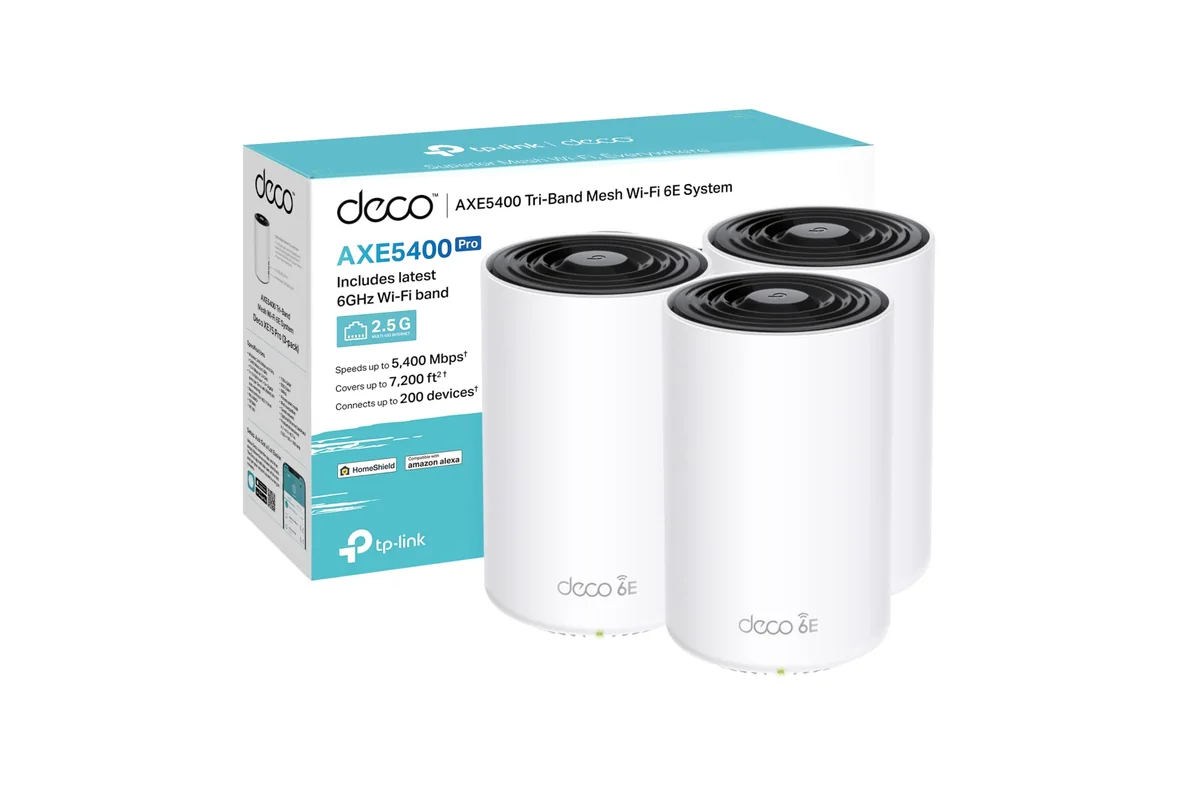
TP-Link Deco XE75

TP-Link Deco XE75

8.8

✓ Real user-reported speed gains (~2x vs older Deco, 250-500 Mbps)

Linksys Atlas Max 6E

Linksys Atlas Max 6E

8.1

✓ 6GHz band is a genuine fix for congested 2.4/5GHz environments (USER, +24/+6)

Linksys Atlas Max 6E (AXE8400)

Linksys Atlas Max 6E (AXE8400)

8.0

✓ Tri-band WiFi 6E mesh architecture presented in technically credible reviews

TP-Link Deco AXE5400

TP-Link Deco AXE5400

8.0

✓ Owners report roughly doubled speeds after switching (200-to-500+ Mbps examples)

DATA SOURCES & AUDIT

16
REDDIT
21
YOUTUBE
15
HN
2
STACK EXCHANGE
20
PRODUCTHUNT
3
YOUTUBE VIDEOS

77 data points across 5 platforms, synthesized via GYIBB's Truth Engine and fact-checked against source data before publication.

CONFIDENCE: HIGH · ANALYSED: AUGUST 9, 2026 AT 09:25 PM · PROMPT V1.0 · READ METHODOLOGY →

Was this review helpful?

Embed this review

Writing about Eero Pro 6E? Add the GYIBB verdict — free, no account needed.

<a href="https://gyibb.com/mesh-wifi/eero-pro-6e" target="_blank" rel="noopener">
  <img src="https://gyibb.com/badge/mesh-wifi/eero-pro-6e.svg" alt="GYIBB rating for Eero Pro 6E" width="220" height="56">
</a>
← Back to all reviews

Eero Pro 6E

GYIBB SCORE: 8.2/10

Buy on Amazon →