THE PRODUCT
Microsoft 365 SharePoint
Beginner tutorials draw massive views; users praise Teams integration, but comments hint at setup complexity and dated UI. Brand claims absent.
THE VERDICT
REALITY SCORE · OUT OF 10 · CONFIDENCE LOW
COMPOSED FROM
SENTIMENT · 60 REVIEWS
AT A GLANCE · QUOTABLE
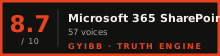
- Rating: 8.7 / 10 (low confidence)
- User voices: 60 across 3 platforms
- Sentiment: 60% positive · 10% negative
- Updated: Oct 2, 2026
GYIBB rates the Microsoft 365 SharePoint 8.7/10 based on 60 user voices from 3 platforms. Confidence: low. Source: https://gyibb.com/docs-collab/microsoft-365-sharepoint
BUY IF
Teams/M365 integration explicitly praised by users
- + Strong third-party tutorial ecosystem (928K-view beginner guide)
- + Metadata/column features attract power users over OneDrive
- + Adopted by real institutions (police service, budget teams)
SKIP IF
Setup complexity questioned for micro businesses (VIDEO layer)
- − UI/UX called 'inconsistent, cluttered, visually outdated' (VIDEO layer)
- − Bulk file access reportedly needs wget or OneDrive-sync workaround (USER layer)
- − Steep learning curve implied by massive tutorial demand
Where the layers disagree ⚡
6 CONTRADICTIONS DETECTEDUSER (Stack Exchange) reports needing wget or the OneDrive sync app for bulk file access, while USER (YouTube) praise highlights Teams integration — friction and value coexist within the same layer.
VIDEO (Collaboration Coach) commenter asks whether setup is 'beyond the skills of micro businesses', but USER comments from institutions (police service IT, budget teams) suggest adoption works when IT staff exist.
VIDEO demand signal: one beginner tutorial alone has ~928K views — an onboarding-difficulty proxy that no other available layer contradicts.
VIDEO (Microsoft Community Learning) comments call SharePoint UI/UX 'inconsistent, cluttered, and visually outdated'; BRAND layer provided no claims to rebut or contextualize this.
USER sentiment is contaminated: most positive comments rate the instructor (Kevin Stratvert), not SharePoint itself.
BRAND was listed as available but its claims section is empty, and INTERNET is missing — cross-validation is limited to USER vs. VIDEO.
WHERE THEY AGREE +
WHERE THEY DON'T −
Where the 60 sources came from
VIEW EVERY CITATION →The four realities of the Microsoft 365 SharePoint
Most review sites collapse everything into one number. We keep the layers separate so you can see where reality bends.
What actual buyers say
What reviewers showed on camera
Microsoft SharePoint Tutorial for Beginners (Step-by-Step Guide)
Kevin Stratvert · 928,297 views
"[comment] 📩 NEWSLETTER - Get the latest high-quality tutorial and tips and tricks videos emailed to your inbox each week: https://kevinstratvert.com/newsletter/ ✅ To learn more about these features and more-register and tune in to the Share…"
Storing Files in OneDrive or SharePoint - Whats the Difference?
Collaboration Coach · 252,357 views
"[comment] Thanks. Short, clear and helpful. Just what I was looking for. [comment] This video is great because it’s such a simple, coherent, and easy to digest overview of both OneDrive and SharePoint. Great job! 👏🏼 [comment] Very simple an…"
What is SharePoint?
Microsoft Community Learning · 169,206 views
"[comment] Don't show us stock video. Give us more footage on how would SharePoint perform in our daily work [comment] Background music is too loud than the host voice [comment] Good, hope there will be an official video of around 5 mints ex…"
What the press said
What the brand says
no brand page found
SIMILAR IN THIS CATEGORY
See all →



DATA SOURCES & AUDIT
60 data points across 3 platforms, synthesized via GYIBB's Truth Engine and fact-checked against source data before publication.
CONFIDENCE: LOW · ANALYSED: OCTOBER 3, 2026 AT 12:57 AM · PROMPT V1.0 · READ METHODOLOGY →
Was this review helpful?
Embed this review