THE PRODUCT
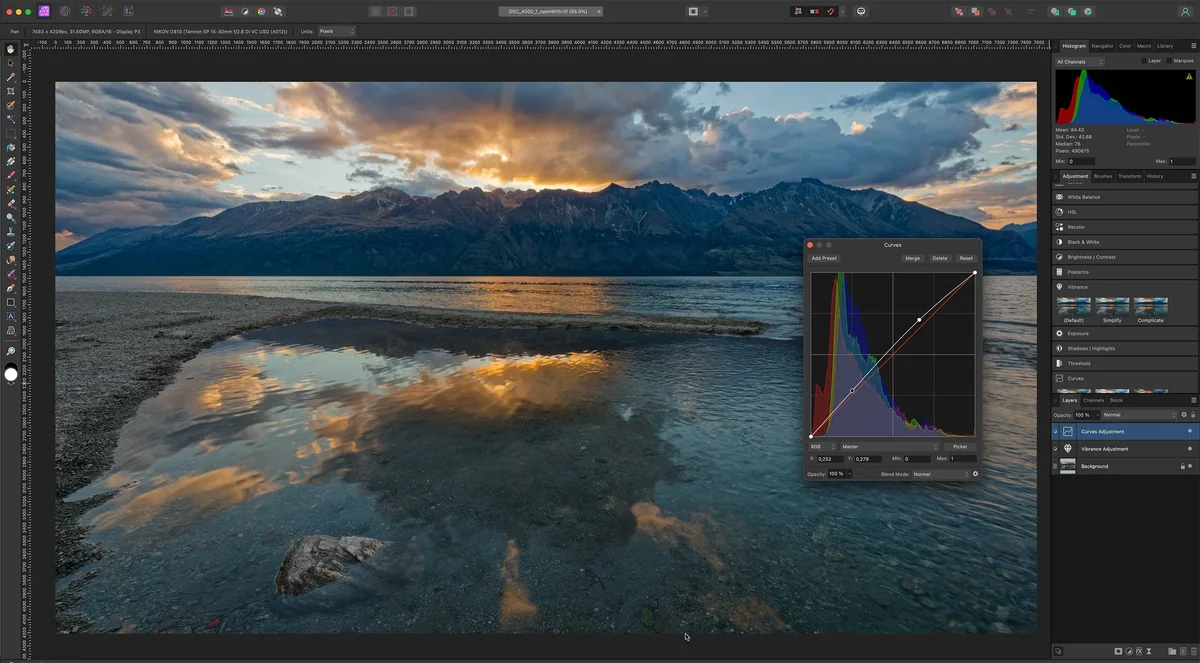
Affinity Photo 2
A powerful, one-time purchase photo editor praised as an Adobe alternative, though users face a learning curve.
THE VERDICT
REALITY SCORE · OUT OF 10 · CONFIDENCE HIGH
COMPOSED FROM
SENTIMENT · 260 REVIEWS
AT A GLANCE · QUOTABLE
- Rating: 8.9 / 10 (high confidence)
- User voices: 260 across 5 platforms
- Sentiment: 75% positive · 10% negative
- Updated: Aug 10, 2026
GYIBB rates the Affinity Photo 2 8.9/10 based on 260 user voices from 5 platforms. Confidence: high. Source: https://gyibb.com/photo-editing/affinity-photo-2
BUY IF
One-time purchase (no subscription)
- + Professional-grade results
- + Strong alternative to Adobe ecosystem
- + Generally feature-rich for the price
SKIP IF
Steep learning curve for Adobe users
- − Missing some advanced Adobe features (e.g., AI object selection)
- − Occasional UI lag and confusing workflows
- − Not a 1:1 Photoshop clone
Where the layers disagree ⚡
3 CONTRADICTIONS DETECTEDUSER and VIDEO alignment: Both layers strongly agree that Affinity's biggest selling point is its one-time purchase model acting as a refuge from Adobe's subscription ecosystem.
USER vs VIDEO on performance: While VIDEO creators highlight professional capabilities and stable workflows, some USERS report UI confusion, lag, and functions that don't work as seamlessly as Photoshop.
VIDEO vs USER on missing features: Video reviewers specifically identify technical gaps (RAW noise reduction, object selection color decontamination), whereas Users tend to generalize friction simply as 'Adobe muscle memory'.
WHERE THEY AGREE +
WHERE THEY DON'T −
Where the 260 sources came from
VIEW EVERY CITATION →The four realities of the Affinity Photo 2
Most review sites collapse everything into one number. We keep the layers separate so you can see where reality bends.
What actual buyers say
What reviewers showed on camera
Affinity vs Photoshop: Time to Switch... Really?
PiXimperfect · 186,510 views
"[comment] Transparency Note: This video is not sponsored by Adobe, Affinity, or any other software company. I purchased the tested tools and am sharing my real-world workflows. If Affinity, Photoshop, Canva, or even GIMP serve your needs, t…"
Affinity For Photographers - It's free... but there's a problem
Brendan Williams · 112,261 views
"[comment] 📝 Get My 5-Step EDITING Workflow Cheat Sheet 👉 https://bwillcreative.kit.com/photo-editing-cheat-sheet [comment] As a designer who's edited _countless_ photos for advertising, magazines, books and online since Photoshop v1 (throug…"
Affinity Photo 2 EXPERT Review Is It A REAL Alternative To Adobe?
Chris Wright Photography · 28,358 views
"[comment] I LOVE your videos. Pure knowledge, no filler! I can learn from your teaching so easily. [comment] I shoot all my files in JPG (disk space and time considerations) as it's only for my own enjoyment. I never thought about using the…"
What the press said
What the brand says
no brand page found
SIMILAR IN THIS CATEGORY
See all →

DATA SOURCES & AUDIT
260 data points across 5 platforms, synthesized via GYIBB's Truth Engine and fact-checked against source data before publication.
CONFIDENCE: HIGH · ANALYSED: AUGUST 10, 2026 AT 05:37 PM · PROMPT V1.0 · READ METHODOLOGY →
Was this review helpful?
Embed this review