REVIEWS / KEYBOARDS / MICROSOFT SCULPT ERGONOMIC KEYBOARD UPDATED AUG 23, 2026 · 86 SOURCES

THE PRODUCT

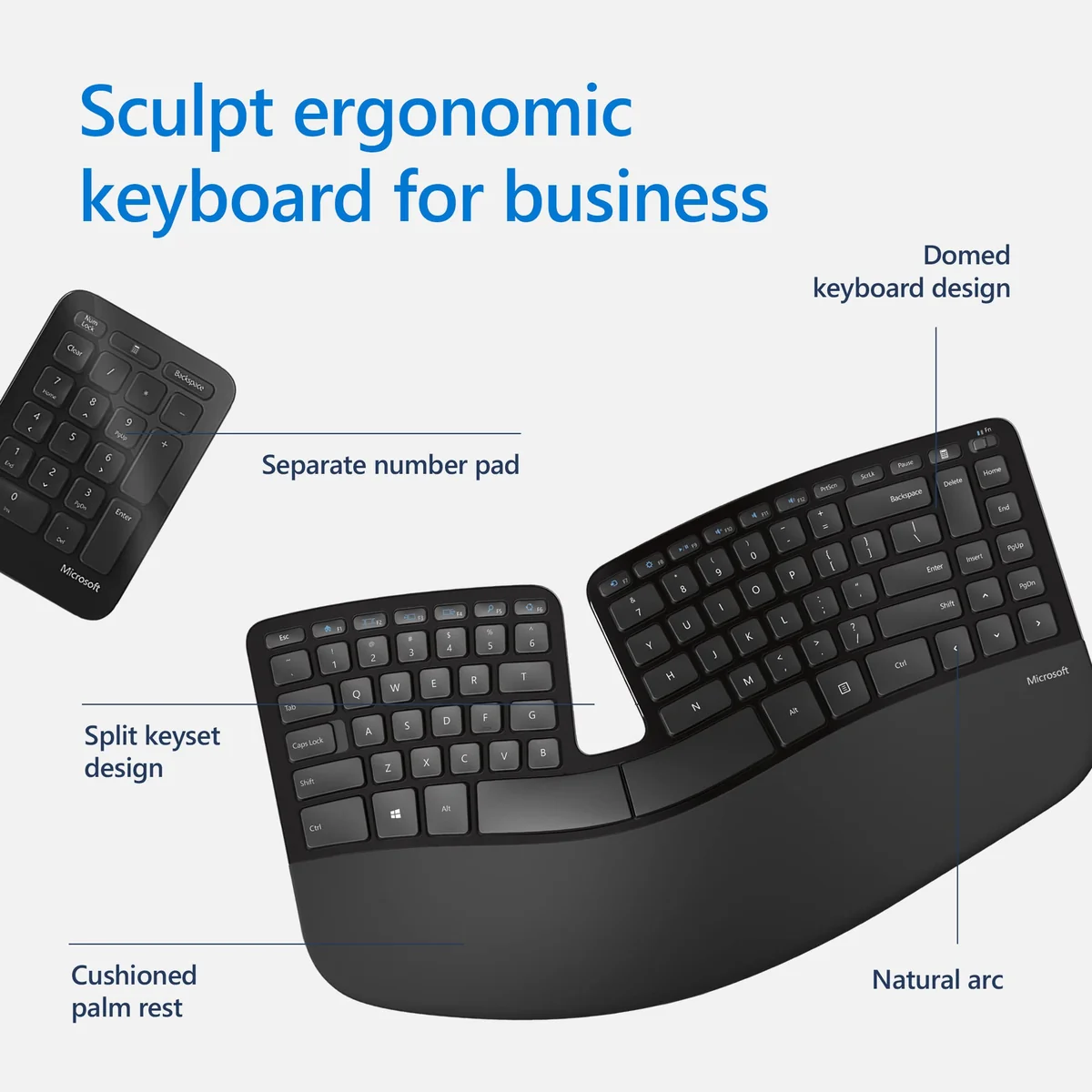
Microsoft Sculpt Ergonomic Keyboard

Microsoft Sculpt Ergonomic Keyboard

Cult-favorite split ergo keyboard still loved years on — but discontinued, dongle-only, and prone to Windows sleep dropouts.

KEYBOARDS MEDIUM CONFIDENCE

THE VERDICT

8.1

REALITY SCORE · OUT OF 10 · CONFIDENCE MEDIUM

COMPOSED FROM

USERS 8.1 · 83 voices · 100%
CRITICS no published scores yet

SENTIMENT · 86 REVIEWS

+ 55% positive · 30% neutral − 15% negative

BEST PRICE TODAY

BUY ON AMAZON
Affiliate · supports independent reviews
CHECK PRICE →

// Affiliate link — score is unaffected.

39 YOUTUBE 33 LEMMY 11 STACK EXCHANGE
USER n=86
VIDEO n=3
BRAND AVAILABLE
INTERNET n=0

AT A GLANCE · QUOTABLE

  • Rating: 8.1 / 10 (medium confidence)
  • User voices: 86 across 3 platforms
  • Sentiment: 55% positive · 15% negative
  • Updated: Aug 22, 2026

GYIBB rates the Microsoft Sculpt Ergonomic Keyboard 8.1/10 based on 86 user voices from 3 platforms. Confidence: medium. Source: https://gyibb.com/keyboards/microsoft-sculpt-ergonomic-keyboard

⚠ LIMITED DATA Based on 47 comments and 39 videos

BUY IF

Ergonomics endorsed even by practitioners — OT channel calls it 'the best keyboard for ergonomics'

  • + Strong longevity reports: 3-5+ years daily use, cushion holding up, users pre-buying spares
  • + Compact footprint and standout key placement (Delete key position repeatedly praised)
  • + Strong value when discounted — users reporting $45 sale purchases

SKIP IF

Discontinued — no replacement path, users stockpiling units and dongles

  • 2.4GHz dongle only, no Bluetooth; a broken dongle bricks the entire set
  • Windows sleep/wake dropouts requiring manual Device Manager power-management fixes
  • Non-mechanical, non-programmable — enthusiasts migrate to split mechanical boards within years

Where the layers disagree

6 CONTRADICTIONS DETECTED

VIDEO layer crowns it 'the best keyboard for ergonomics' and 'best keyboard I've owned,' while USER layer (Lemmy thread) shows an actual owner shopping for replacements — ergonomics praised everywhere, but enthusiasts outgrow its non-mechanical, non-programmable, non-silent design.

VIDEO VS USER

VIDEO layer repeatedly reports discontinuation ('Microsoft will stop making accessories', 'nothing like this set available'), with users stockpiling spare units — a supply/longevity risk no other layer can confirm or deny since the BRAND layer provided no claims.

BRAND VS VIDEO

USER layer documents concrete reliability workarounds (Windows 11 sleep dropouts fixed via Device Manager power-management; Backspace failing until dongle reconnect), while VIDEO layer reviewers mention no such issues — enthusiast owners hit failure modes casual reviewers never see.

VIDEO VS USER

VIDEO layer exposes a single point of failure: 2.4GHz dongle only, no Bluetooth, so a broken dongle bricks the set — commenters explicitly beg for a Bluetooth reissue; USER layer's dongle-reconnect bug reinforces that fragility.

VIDEO VS USER

Data mismatch: USER layer's highest-voted comments (+25, +24) are repairs for the Sculpt MOUSE, not the keyboard — direct user testimony about the keyboard itself is much thinner than the 83-comment count suggests.

USER VS BRAND

Alignment across layers on size and wear: both value the compact footprint, and both surface the same aging issues — palm-rest/wrist cushion wear (VIDEO: spare-unit pre-ordering; USER: third-party wrist rests like Purple Squishies discussed) and no protective skins on the market.

VIDEO VS USER

WHERE THEY AGREE +

+ Ergonomics endorsed even by practitioners — OT channel calls it 'the best keyboard for ergonomics'
+ Strong longevity reports: 3-5+ years daily use, cushion holding up, users pre-buying spares
+ Compact footprint and standout key placement (Delete key position repeatedly praised)
+ Strong value when discounted — users reporting $45 sale purchases
+ Deep community repair knowledge (disassembly, stuck-button fixes) extends usable life

WHERE THEY DON'T

Discontinued — no replacement path, users stockpiling units and dongles
2.4GHz dongle only, no Bluetooth; a broken dongle bricks the entire set
Windows sleep/wake dropouts requiring manual Device Manager power-management fixes
Non-mechanical, non-programmable — enthusiasts migrate to split mechanical boards within years
Wearing palm-rest cushion with no protective skins or official replacement path available

Where the 86 sources came from

VIEW EVERY CITATION →
YOUTUBE
39
LEMMY
33
STACK EXCHANGE
11

The four realities of the Microsoft Sculpt Ergonomic Keyboard

Most review sites collapse everything into one number. We keep the layers separate so you can see where reality bends.

01
USER
n=86 · 3 platforms

What actual buyers say

83 comments total (top 25 by upvotes shown), and the corpus splits into three distinct clusters. (1) Repair threads, mostly for the Sculpt MOUSE from the same desktop set: the highest-voted comments (+25, +24, +5 on StackExchange) explain disassembly — the top cover 'snaps off' with a spudger under the right button, Torx screws beneath, and one user fixed a stuck back/return button simply by NOT overtightening the shell screws after finding the switch itself fine. (2) Keyboard troubleshooting: a +6 comment fixes dead keys by unchecking Device Manager > Human Interface Devices > Microsoft Hardware USB Keyboard > Power Management > 'Allow the computer to turn off this device to save power'; a +5 comment diagnoses Backspace failing until dongle reconnect (caused by the separate numpad wedged under paper, continuously holding Backspace, which the firmware then filtered); a +2 user describes a 'constant cat and mouse game with Microsoft' over sleep on Windows 11. These confirm a known wireless sleep/dropout quirk with community-documented workarounds. (3) A Lemmy thread where the discussion treats the Sculpt as a graduation point: an owner notes that on the Sculpt his angled hand position made him hit the edge or type T when aiming for Y, and the community recommends non-Microsoft upgrades — Perixx Periboard 335, Keychron K15 Pro Alice, Corne, Sofle, Helix, keeb.io Cepstrum/Quefrency/Sinc, Dygma Raise, ErgoDox EZ, Moonlander, Glove80, Matias Ergo Pro, X-Bows — typically for silent mechanical switches, thumb clusters, hotswap, and programmability the Sculpt lacks. Net read: users respect the Sculpt's ergonomics but the enthusiast crowd outgrows it, and the practical knowledge base centers on repairs and sleep fixes rather than praise.
02
VIDEO
n=39 · YouTube

What reviewers showed on camera

Three low-subscriber reviews with surprisingly strong evidence. Christopher Pecoraro (222 subs, 266,967 views) 'After One Year': commenters report buying on the strength of the video; one purchased two units at $45 each on CDW sale (May 2018) after 20 years on a Microsoft Natural Pro and says 'I love the sculpt' — but has searched extensively and cannot find a protective skin for it (accessory gap). OT Focus (5,400 subs, 27,699 views), titled 'The best keyboard for ergonomics (Microsoft Sculpt)': an occupational-therapy-flavored endorsement; commenters praise the Delete key as 'the perfect position for the third finger', one ordered a second unit in advance for when the palm rest wears down and praises the 'fidget hole', another wishes Microsoft would 're-issue one with Bluetooth functionality' — and a user who broke the USB dongle asks whether any Bluetooth fallback exists (it doesn't; the set is 2.4GHz dongle-only, so a broken dongle bricks it). Commenters explicitly advise stocking up because 'Microsoft announced it will stop making accessories'. Tech Kingdom (231 subs, 1,444 views): basic usage questions (how to power on, how to change the AA batteries); a commenter laments 'it's been discontinued, I can't get another one if mine breaks and there's nothing like this set available'; another calls it 'the best keyboard I've owned… it replaces my Logitech K860', naming the smaller footprint as one of its best features, and reports the cushion still OK after 3-5 years with one occasionally problematic keycap.

Microsoft Sculpt Ergonomic Keyboard Review -- After One Year

Christopher Pecoraro · 266,967 views

"[comment] Great to see a 1 year review, you've sold me on the set. [comment] thanks for video [comment] Thank you for the video... I'm in the market for a new Microsoft keyboard. [comment] very enteresting [comment] Very useful, thank you! …"

The best keyboard for ergonomics (Microsoft Sculpt)

OT Focus · 27,699 views

"[comment] Great video! Thank you [comment] I have a sculpt and love it. The part I like the most is the delete key - it's not small, but the perfect position for the third finger. I wish Microsoft would re-issue one with Bluetooth functiona…"

Review Of Microsoft Sculpt Ergonomic Wireless Keyboard

Tech Kingdom · 1,444 views

"[comment] how do you turn it on and the bluetooth on? [comment] Can you show how to change the batteries [comment] Very good review, thanks! [comment] Bro, could you tell me how I turn this keyboard on? [comment] Sad that it’s been disconti…"

03
INTERNET
n=0 · review sites

What the press said

No aggregate ratings were found for this product during the last harvest.
04
BRAND
official source

What the brand says

no brand page found

The official brand page was not successfully scraped during the last harvest.
Buy on Amazon →

* This page may contain affiliate links. No additional cost to you.

SIMILAR IN THIS CATEGORY

See all →
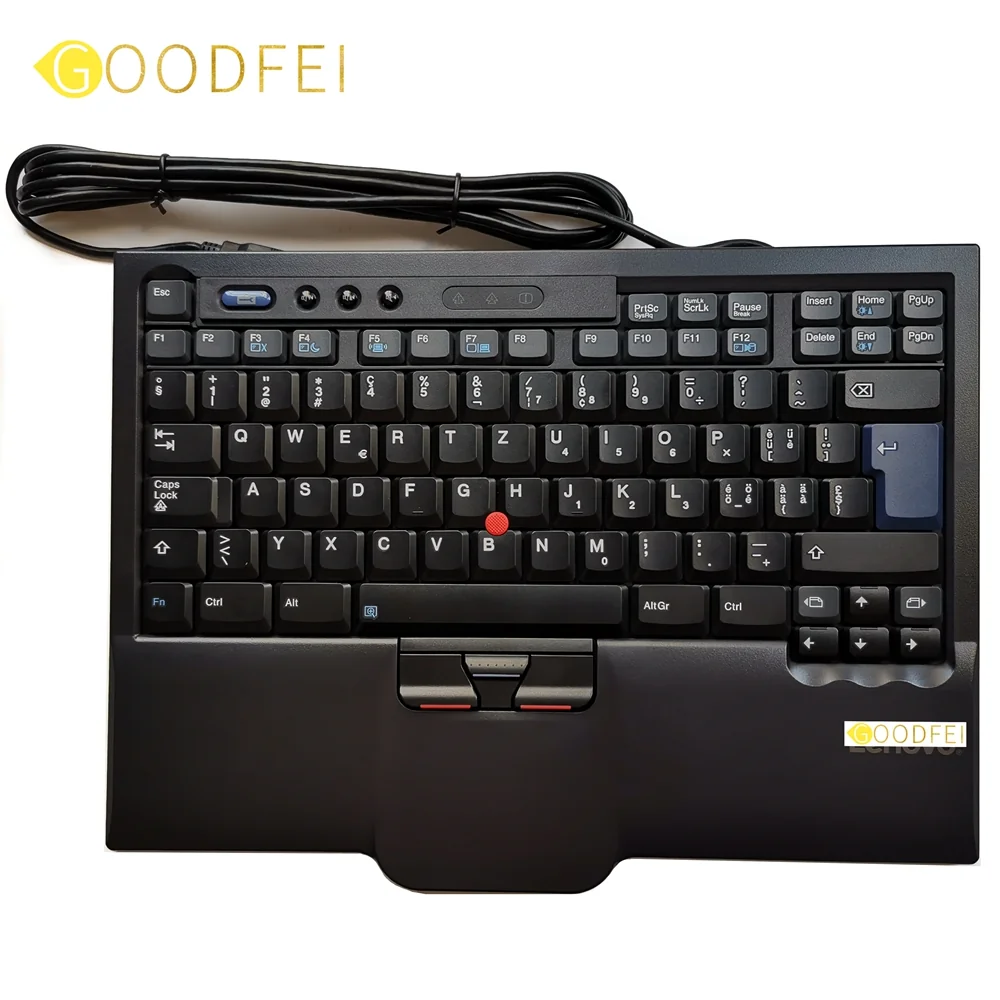
Thinkpad SK-8845

Thinkpad SK-8845

10.0

✓ Excellent for keyboard-centric workflows and CLI environments

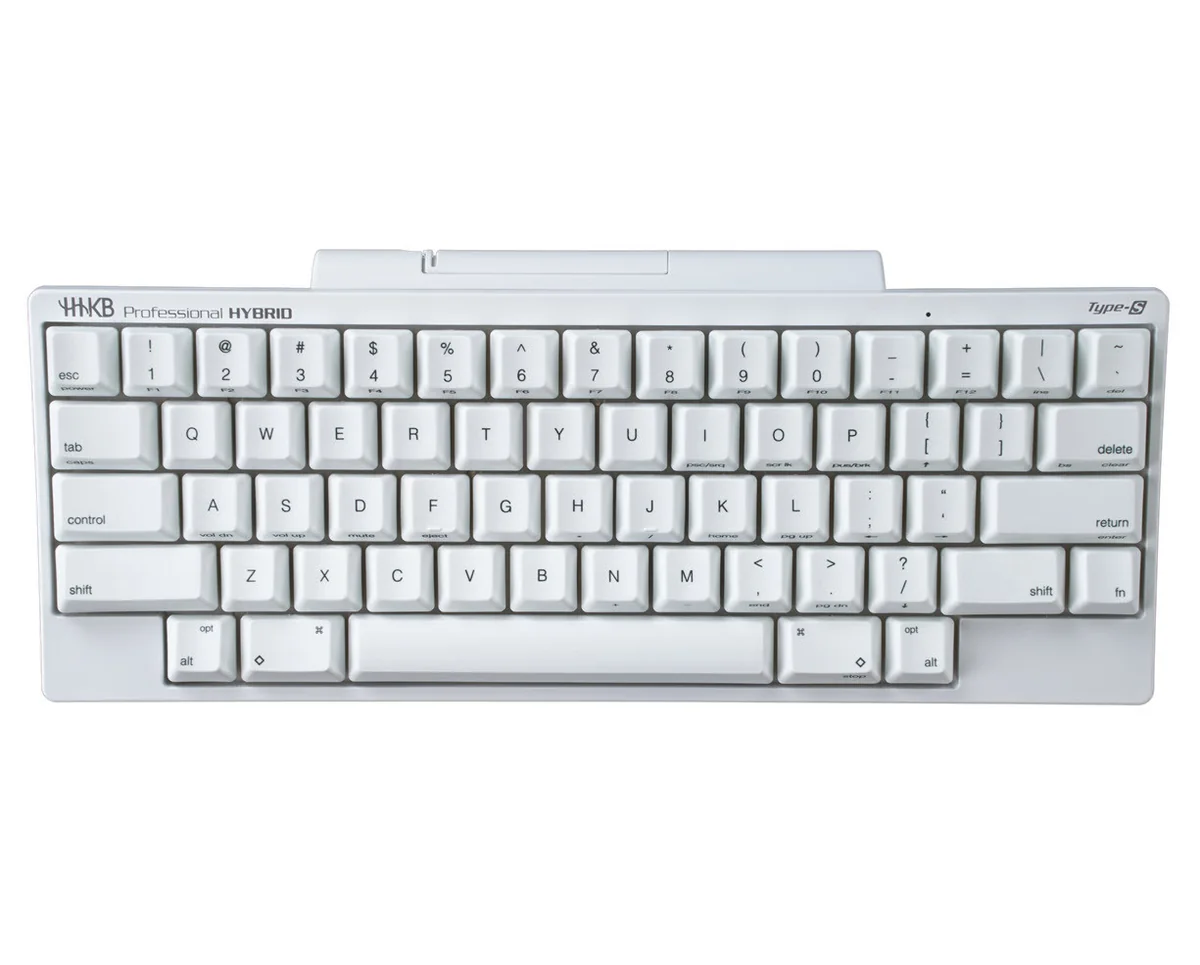
HHKB Professional Hybrid Type-S

HHKB Professional Hybrid Type-S

9.7

✓ Exceptional reported longevity (10+ years from multiple owners)

Keychron Q11

Keychron Q11

9.5

✓ Excellent entry-level split keyboard design

Keychron Q1 HE

Keychron Q1 HE

8.9

✓ Premium, heavy build quality ('built like a tank')

DATA SOURCES & AUDIT

39
YOUTUBE
33
LEMMY
11
STACK EXCHANGE
3
YOUTUBE VIDEOS

86 data points across 3 platforms, synthesized via GYIBB's Truth Engine and fact-checked against source data before publication.

CONFIDENCE: MEDIUM · ANALYSED: AUGUST 23, 2026 AT 01:04 AM · PROMPT V1.0 · READ METHODOLOGY →

Was this review helpful?

Embed this review

Writing about Microsoft Sculpt Ergonomic Keyboard? Add the GYIBB verdict — free, no account needed.

<a href="https://gyibb.com/keyboards/microsoft-sculpt-ergonomic-keyboard" target="_blank" rel="noopener">
  <img src="https://gyibb.com/badge/keyboards/microsoft-sculpt-ergonomic-keyboard.svg" alt="GYIBB rating for Microsoft Sculpt Ergonomic Keyboard" width="220" height="56">
</a>
← Back to all reviews

Microsoft Sculpt Ergonomic Keyboard

GYIBB SCORE: 8.1/10

Buy on Amazon →