REVIEWS / DOCKING STATIONS / PLUGABLE 16-IN-1 THUNDERBOLT 3 DOCK UPDATED AUG 3, 2026 · 45 SOURCES

THE PRODUCT

Plugable 16-in-1 Thunderbolt 3 Dock

Plugable 16-in-1 Thunderbolt 3 Dock

High-power Thunderbolt dock praised for 96W charging but criticized for high price, Mac compatibility issues, and lack of downstream TB3 ports.

DOCKING STATIONS LOW CONFIDENCE

THE VERDICT

7.0

REALITY SCORE · OUT OF 10 · CONFIDENCE LOW

COMPOSED FROM

USERS 7.0 · 42 voices · 100%
CRITICS no published scores yet

SENTIMENT · 45 REVIEWS

+ 40% positive · 40% neutral − 20% negative

BEST PRICE TODAY

BUY ON AMAZON
Affiliate · supports independent reviews
CHECK PRICE →

// Affiliate link — score is unaffected.

10 REDDIT 32 YOUTUBE
USER n=45
VIDEO n=3
BRAND AVAILABLE
INTERNET n=0

AT A GLANCE · QUOTABLE

  • Rating: 7.0 / 10 (low confidence)
  • User voices: 45 across 2 platforms
  • Sentiment: 40% positive · 20% negative
  • Updated: Aug 3, 2026

GYIBB rates the Plugable 16-in-1 Thunderbolt 3 Dock 7.0/10 based on 45 user voices from 2 platforms. Confidence: low. Source: https://gyibb.com/docking-stations/plugable-16-in-1-thunderbolt-3-dock

⚠ LIMITED DATA Limited data: 13 comments, 32 videos. Consider as preliminary assessment.

BUY IF

High 96W power delivery for charging demanding laptops

  • + Supports dual 4K 60Hz monitors (on compatible Windows machines)
  • + Declutters desk setup with a single cable connection
  • + Highly desired for fast data transfer and 4K video editing workflows

SKIP IF

Lacks a secondary downstream Thunderbolt 3 port

  • Expensive at $245
  • MacBook users face native OS limitations for dual extended monitors
  • Confusion over USB-C vs Thunderbolt compatibility for AMD users

Where the layers disagree

4 CONTRADICTIONS DETECTED

USER and VIDEO comments show a major compatibility friction point with Apple M-series chips, where users expect dual extended displays but hardware limitations of their MacBooks restrict them to one.

VIDEO VS USER

USER comments highlight the 96W charging as a major advantage over competitors, but this doesn't offset the frustration over the lack of a second Thunderbolt 3 port for some power users.

USER VS BRAND

USER sentiment shows friction over the $245 price point, with some users stating it is too expensive to justify for their current setups.

USER VS BRAND

VIDEO comments reveal confusion regarding Thunderbolt 3 vs USB-C compatibility, with AMD users wondering if the hub will work or future-proof their non-TB laptops.

VIDEO VS USER

WHERE THEY AGREE +

+ High 96W power delivery for charging demanding laptops
+ Supports dual 4K 60Hz monitors (on compatible Windows machines)
+ Declutters desk setup with a single cable connection
+ Highly desired for fast data transfer and 4K video editing workflows

WHERE THEY DON'T

Lacks a secondary downstream Thunderbolt 3 port
Expensive at $245
MacBook users face native OS limitations for dual extended monitors
Confusion over USB-C vs Thunderbolt compatibility for AMD users

Where the 45 sources came from

VIEW EVERY CITATION →
REDDIT
10
YOUTUBE
32

The four realities of the Plugable 16-in-1 Thunderbolt 3 Dock

Most review sites collapse everything into one number. We keep the layers separate so you can see where reality bends.

01
USER
n=45 · 2 platforms

What actual buyers say

Users are primarily interested in this dock to declutter desks, support dual 4K monitors, and provide high-speed storage access for video editing. Key highlights include appreciation for its 96W charging capability, which is noted as superior to competitors like CalDigit and OWC. However, users point out a significant limitation: the lack of a second downstream Thunderbolt 3 port. Several users also question or struggle with Mac compatibility (specifically getting dual extended monitors working on M1 MacBooks) and some find the $245 price tag hard to justify. There are also concerns about connecting to devices without native Thunderbolt support, like AMD laptops or desktop Macs like the Mac Studio.
02
VIDEO
n=32 · YouTube

What reviewers showed on camera

Video transcripts and comments reveal significant confusion and compatibility issues regarding multi-monitor setups, especially for Apple Silicon (M1/M4) MacBook users. Many users report only being able to connect one external monitor despite the dock's capabilities, indicating a hardware limitation on the laptop side rather than the dock itself. There are also inquiries about compatibility with non-Thunderbolt USB-C ports and general questions differentiating Thunderbolt 3 from standard USB-C, particularly from users looking to future-proof AMD-based laptops.

The Best Docking Station for the M4 MacBook Air

Plugable · 209,117 views

"[comment] With this Docking Station, can I connect two monitors in extended version on MacBook Pro 16" 2019? [comment] Only one external monitor for MacBook Pro as well!!! I could do 2 externals with my MacBook Pro 2014 version. [comment] I…"

Plugable 14 in 1 Thunderbolt 3 & USB C Dock Unboxing & Review (TBT3 UDZ)

Chris Wilmshurst · 3,960 views

"[comment] Very nice I might grab one for my upcoming Asus Zephyrus G14 laptop. :) [comment] I have a MacBook Pro M1 13. Can I use to connect to two external monitors (not mirror) by just connecting hdmi cables from the monitor to the plugab…"

Plugable Thunderbolt 3 14 in 1 Dock Unboxing

TheDigitalDigest · 2,735 views

"[comment] Congrats on reaching 90k subs! [comment] Looking forward to the follow up [comment] i seem to be in an awkward position about buying the perfect laptop for the upcoming three years, i was looking at the asus g15 but after i watche…"

03
INTERNET
n=0 · review sites

What the press said

No aggregate ratings were found for this product during the last harvest.
04
BRAND
official source

What the brand says

no brand page found

The official brand page was not successfully scraped during the last harvest.
Buy on Amazon →

* This page may contain affiliate links. No additional cost to you.

SIMILAR IN THIS CATEGORY

See all →

Kensington SD5800T Thunderbolt 4 Dual Video Docking Station

Kensington SD5800T Thunderbolt 4 Dual Video Docking Station

6.6

✓ Aesthetic metal build praised as Apple-like by users

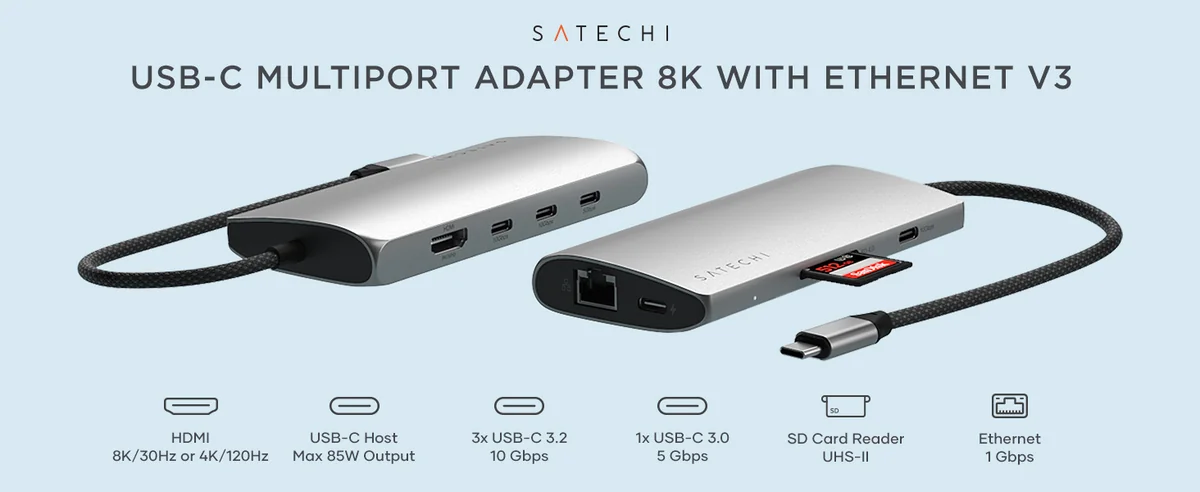
Satechi USB-C Multi-Port Adapter V3

Satechi USB-C Multi-Port Adapter V3

6.4

✓ Praised for general build quality by some Satechi loyalists

CalDigit TS4 Thunderbolt Station

CalDigit TS4 Thunderbolt Station

6.1

✓ Massive 18-port connectivity

Anker 565 PowerHub (11-in-1)

Anker 565 PowerHub (11-in-1)

5.0

✓ Anker brand generally trusted in peripheral discussions

DATA SOURCES & AUDIT

10
REDDIT
32
YOUTUBE
3
YOUTUBE VIDEOS

45 data points across 2 platforms, synthesized via GYIBB's Truth Engine and fact-checked against source data before publication.

CONFIDENCE: LOW · ANALYSED: AUGUST 3, 2026 AT 11:32 AM · PROMPT V1.0 · READ METHODOLOGY →

Was this review helpful?

Embed this review

Writing about Plugable 16-in-1 Thunderbolt 3 Dock? Add the GYIBB verdict — free, no account needed.

<a href="https://gyibb.com/docking-stations/plugable-16-in-1-thunderbolt-3-dock" target="_blank" rel="noopener">
  <img src="https://gyibb.com/badge/docking-stations/plugable-16-in-1-thunderbolt-3-dock.svg" alt="GYIBB rating for Plugable 16-in-1 Thunderbolt 3 Dock" width="220" height="56">
</a>
← Back to all reviews

Plugable 16-in-1 Thunderbolt 3 Dock

GYIBB SCORE: 7.0/10

Buy on Amazon →